

How to extract a Google Map evaluation link using a laptop
1- Log in with your business email using Google Chrome browser.

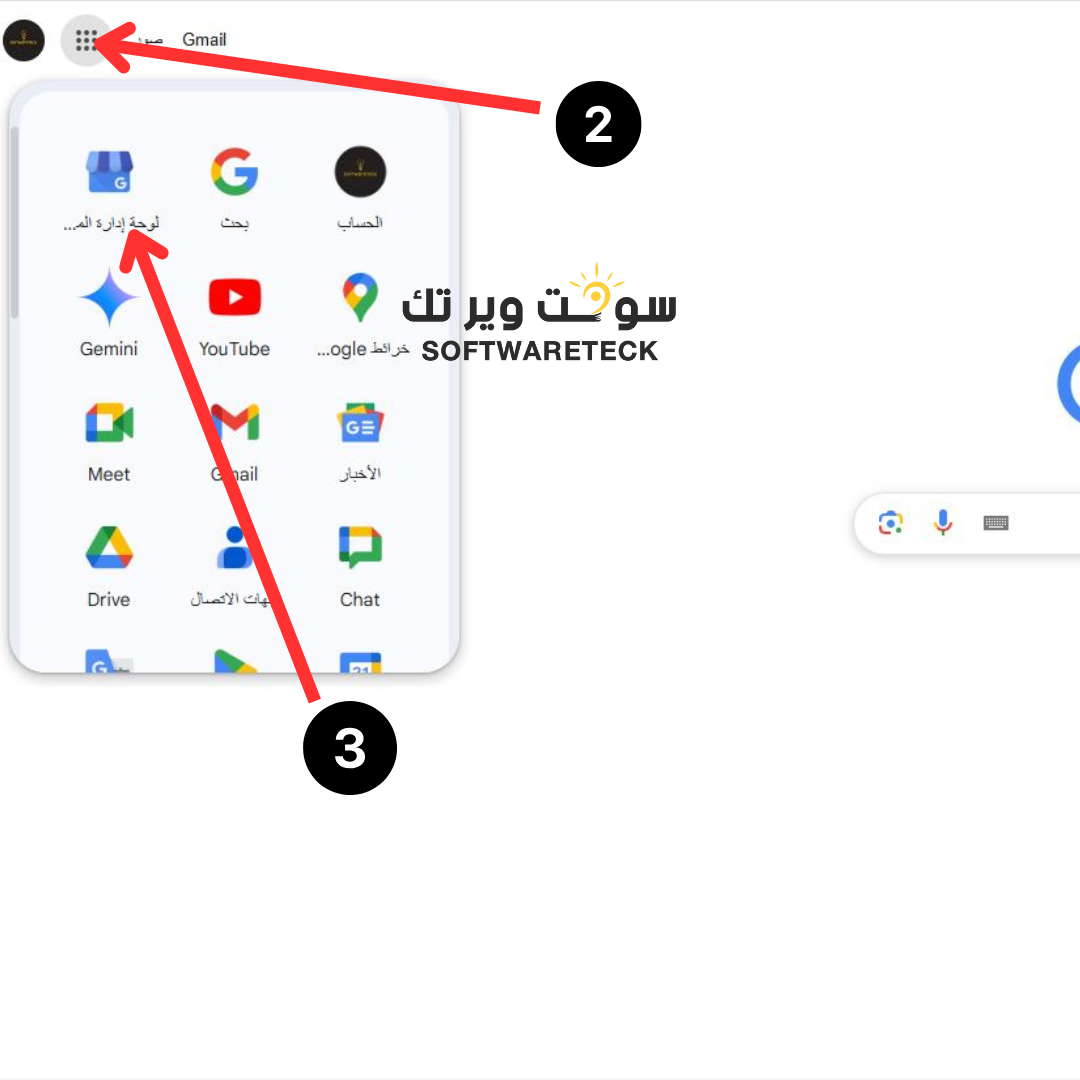
2- Go to the Google Business Applications list and then choose the Business Profile Management Panel.
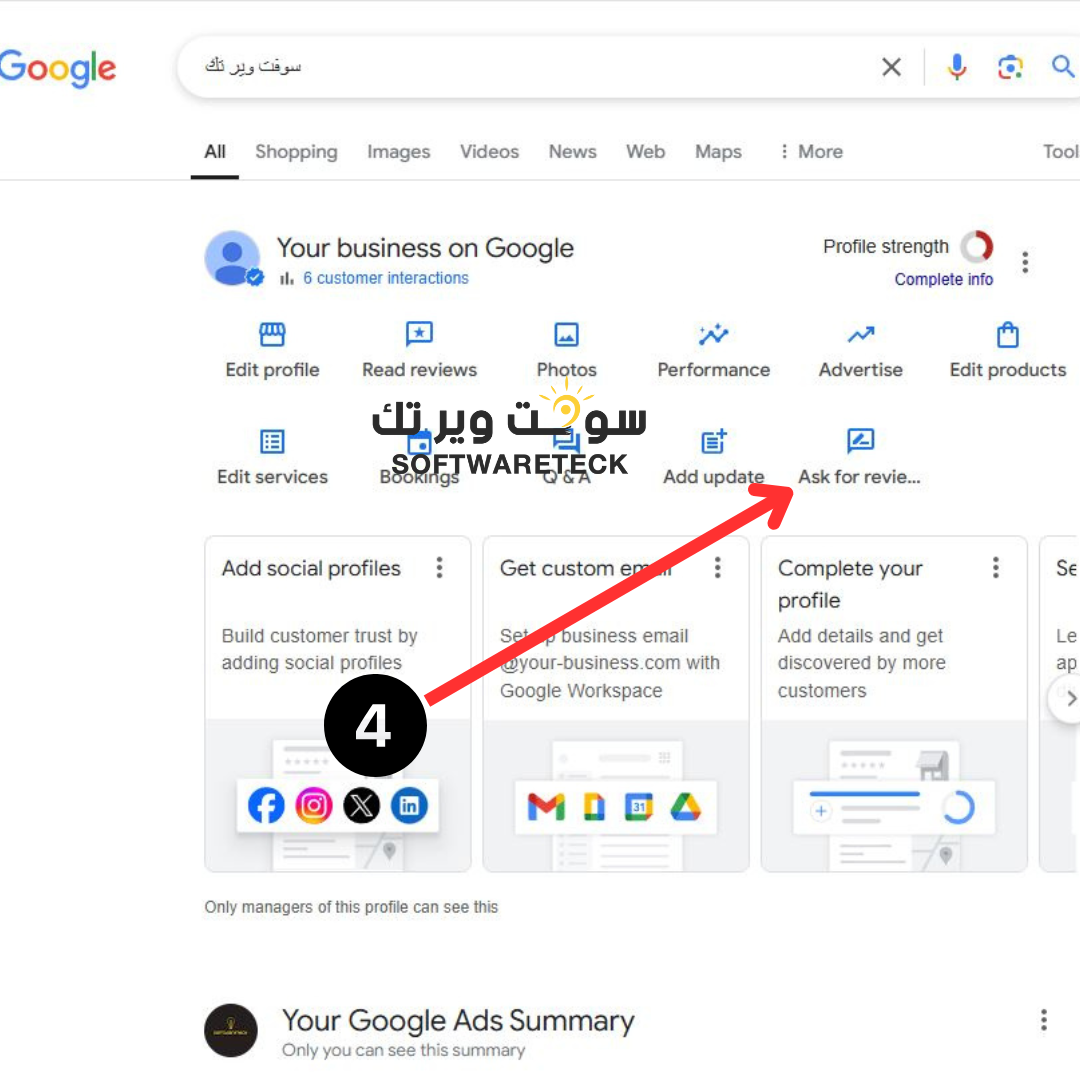
3- Choose ask for reviews
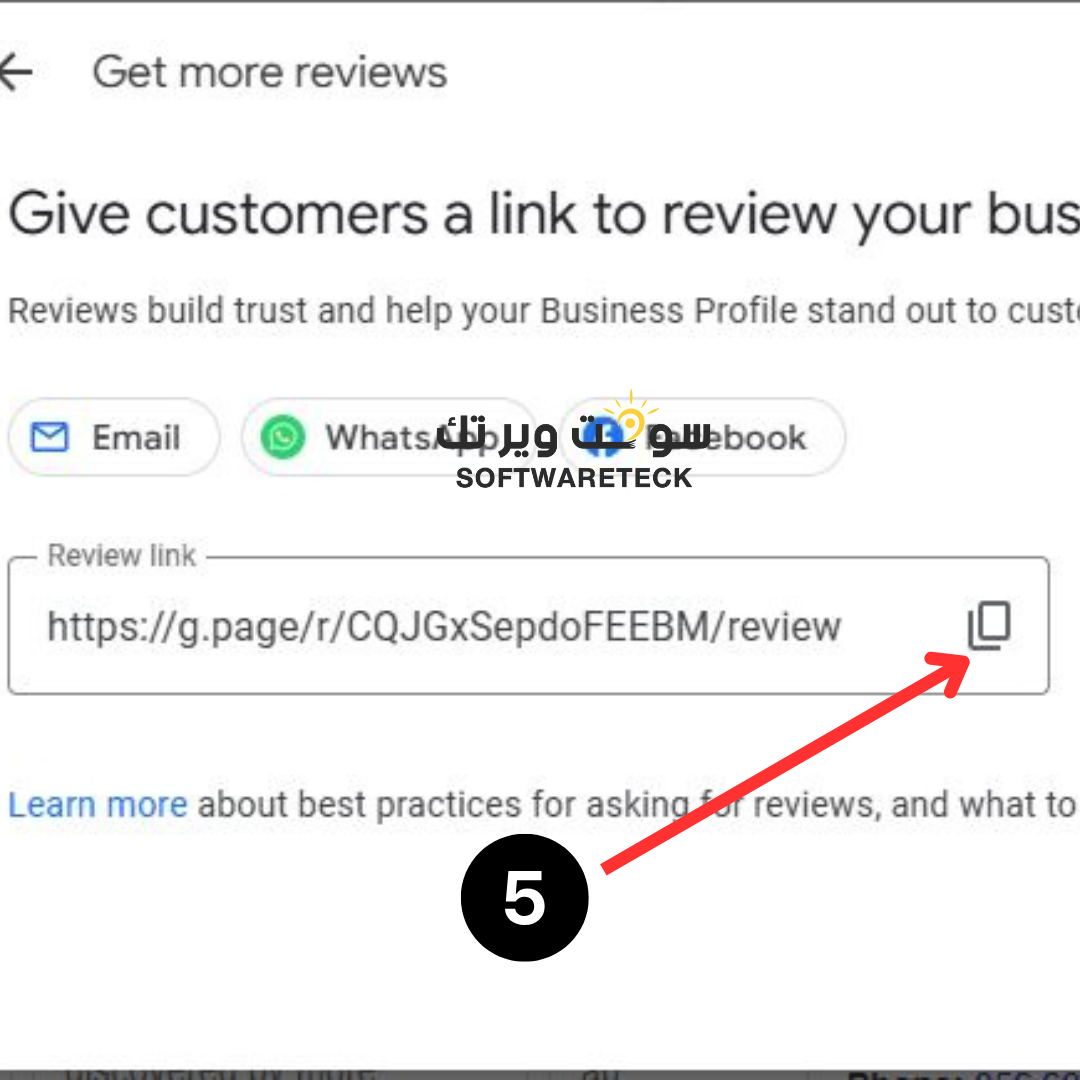
4- Click on the copy link icon and attach it when requested.
How to extract a direct Google Map evaluation link:
For inquiries, customer service WhatsApp:
0566072124