
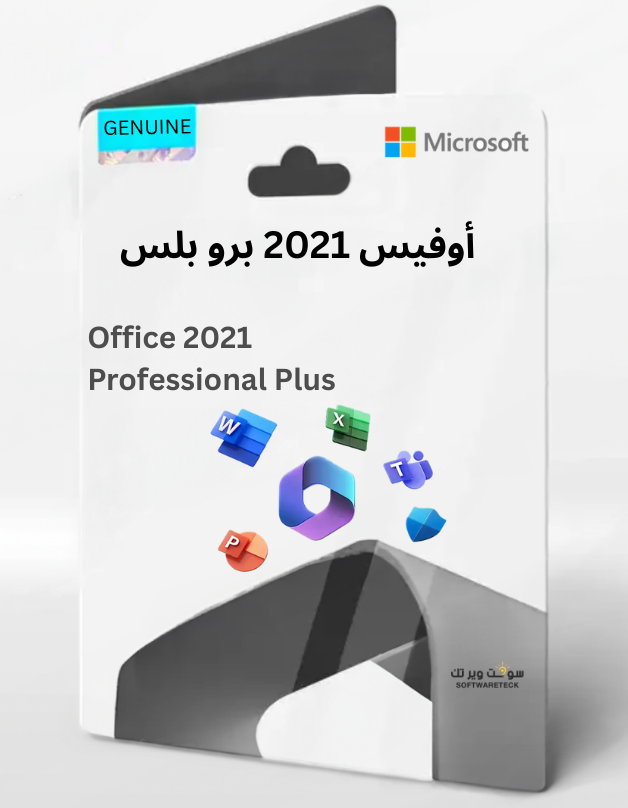
Office 2021 Pro Plus

Click Here For More From Brand Microsoft

 Remained
4
Remained
4
[DESC]
What's Included in Microsoft Office 2021 Professional Plus (ISO)
Microsoft Office 2021 Professional Plus is the most complete one-time purchase version of Office for Windows users. This edition includes all core Microsoft productivity applications:
• Word 2021 – Advanced document creation and editing
• Excel 2021 – Powerful spreadsheets, data analysis, and formulas
• PowerPoint 2021 – Professional presentations and design tools
• Outlook 2021 – Email, calendar, and contact management
• Publisher 2021 – Marketing materials, brochures, and layouts
• Access 2021 – Database creation and management (Windows only)
You receive the full desktop versions — no subscription required.
What "Professional Plus" Means
Professional Plus is the highest-tier version of Office 2021. It adds Access and Publisher vs Home & Business, making it ideal for businesses and professionals.
Supported Systems & Languages
✔ Windows 10
✔ Windows 11
❌ Not compatible with macOS, Chromebooks, iOS, or Android
The ISO supports multiple languages including English, Spanish, German, French, Italian, and many others.
What Is the Office 2021 ISO File?
An ISO file is a complete installation image that lets you:
• Install Office without a Microsoft account subscription
• Keep a copy for future reinstallations
• Install without a constant internet connection
Why Choose the ISO Version?
✔ Full Office installation package ✔ Useful for advanced users and IT environments ✔ No subscription fees — pay once, use permanently
✅ Permanent Retail license — not linked to personal email
✅ Includes Word + Excel + PowerPoint + Outlook + Publisher + Access
✅ Direct download within seconds of ordering
✅ Installation from Microsoft's official .img file
✅ Supports Windows 10 and Windows 11
✅ Multi-language support including English
✅ ⚠️ Code valid for 1 PC / 1 installation only

[/DESC]
[ACTIVATION]
Installation & Activation
Download link (English):
1. Right-click on the downloaded .img file → select 'Mount' to open as a virtual drive.
2. Open the mounted folder and run Setup.exe to begin installation.
3. After installation completes, open any Office app (e.g. Word).
4. Enter the activation code provided after purchase.
⚠️ The code is valid for 1 PC / 1 installation only. Uninstalling or reinstalling may require a new code. Windows only — not compatible with macOS.
[/ACTIVATION]
[FAQ]
When fulfilled?
Direct download — link available within seconds of ordering.
Can I install this on macOS?
No, this product does not support macOS, only compatible with Windows 10 and 11.
Can I redeem this product anywhere?
Yes, this product is a Global version.
Can I transfer this product to new hardware?
No, the code is valid for 1 PC or 1 installation only — if you uninstall or reinstall you might need to buy a new code.
Is there a specific way I need to install this product?
Please read the 'Activation' tab.
Will I get an invoice?
Invoice will automatically generate upon placing an order.
Where can I find my invoice?
Once the order is completed, the invoice will be available under 'My Account' (top right corner) → 'Order History'.
Can I edit my invoice?
Currently, you cannot do this yourself. Please contact our support via email at [email protected] — for a faster process, please include the order number and any relevant information (name, ID/tax number, etc.).
[/FAQ]